Choose a starting point
Decide what the video should communicate and gather the clips, photos, wording, and audio you are entitled to use. A template can provide a structure, but it cannot decide which claims or visuals are accurate for you.
Video editor explained
This is a guide to FlexClip-related topics, not the FlexClip editor. The linked Vidione home page offers browser timeline editing after sign-in without a subscription, including subtitles and MP4, WebM, or CapCut draft export up to 1080p. AI generation needs a subscription; prompts, articles, and URLs on this site do not prefill or start a video.
Flexclip is a browser-based video creation and editing service. It helps people arrange footage, images, text, and audio into a video without starting from a blank production workflow.
If you are deciding which kind of workflow you need, these neighboring guides separate general editing from templates and AI-assisted creation.
A typical Flexclip project moves from source material to an ordered sequence and then to a reviewable video. The exact controls available can change, so treat this as a workflow rather than a button-by-button tutorial.
Decide what the video should communicate and gather the clips, photos, wording, and audio you are entitled to use. A template can provide a structure, but it cannot decide which claims or visuals are accurate for you.
Place material in an order a viewer can follow. Shorten unnecessary moments, add readable text where context is missing, and check whether the pacing matches the purpose of the video.
Watch the whole piece for spelling, abrupt cuts, audio balance, and footage you did not mean to include. Check current export options and any applicable restrictions in the editor before committing to a final version.
Flexclip can provide an editing workspace; it cannot replace a clear brief, rights to your source material, or a human review of the finished message.
Combine a product shot, a short demonstration, and a clear closing message for a social post.
An editor can help organize the sequence, but it cannot verify a product claim or supply permission to use someone else's music.
flexclip video makerTurn lesson images and short explanations into a recap students can pause and revisit.
Text and timing can make the recap easier to follow; the teacher still needs to check facts, accessibility, and student privacy.
flexclip templateCut a longer recording down to its strongest moments for a shorter post.
An editing workflow helps shape the excerpt, but context can be lost when a quotation or demonstration is cut too tightly.
flexclip long to shortArrange event photos, dates, and a brief invitation into a shareable announcement.
The video can communicate essential details, provided someone confirms that the date, location, and depicted people are appropriate to share.
flexclip onlineThe visual distinction is between having an idea or image and deciding how that material should appear in a video. Editing is the planning and checking in between.
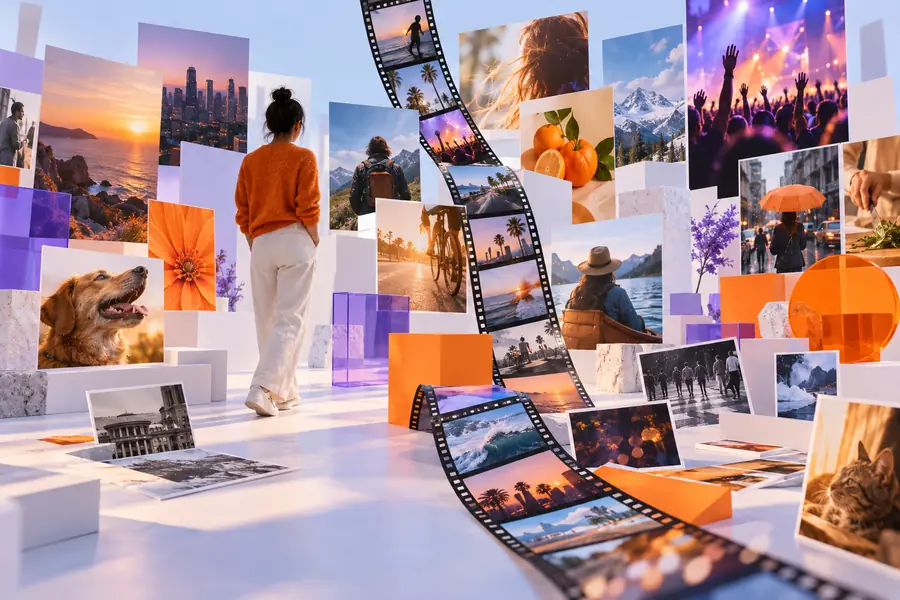

These are illustrative images, not a verified before-and-after export from Flexclip.
The app is most relevant when someone has a message and needs to turn existing material into a watchable sequence. The table contrasts that need with a workflow that demands more specialized production.
Everyday video project
Explain, announce, recap, or promote one focused idea
Specialized production project
Produce a complex film, broadcast package, or effects-heavy sequence
Everyday video project
Short clips, photographs, titles, and available audio
Specialized production project
Multiple cameras, extensive recordings, or specialized assets
Everyday video project
A concise outline and a clear ending
Specialized production project
Detailed shot lists, approvals, and production coordination
Everyday video project
Readable text, sensible order, and understandable pacing
Specialized production project
Fine-grained sound, color, compositing, or collaborative review
Everyday video project
Check accuracy, rights, spelling, and the full playback
Specialized production project
Add technical checks and formal sign-off where required
Everyday video project
Consider whether a browser-based editor meets the brief
Specialized production project
Test the required capabilities before choosing any editor
Start with the message, the material you can use, and the checks your audience deserves. The button opens a separate video creation service, not the Flexclip app; assess its current features before beginning a project.
Flexclip is used to put video material, images, text, and audio into an edited sequence. Common purposes include announcements, explainers, recaps, and short promotional videos. The result still depends on the quality and accuracy of the material you provide.
Flexclip is commonly described as an online video editor used in a browser. People may call it an app in the general sense of a software application. If you specifically need an installed mobile or desktop program, check the service's current official availability before planning around one.
A basic project can begin with a simple outline: an opening, the main point, and an ending. You will still need to make decisions about what to include, how long each part stays on screen, and whether the finished video makes sense to a new viewer.
You should expect to provide a goal and review the material, even when starting from a prepared layout or using assistance within an editor. No tool can independently confirm that your claims are accurate, your media rights are clear, or the result is appropriate for your audience.