Define the cut
Write the audience, intended channel, approximate clip length, and the single idea each short should communicate.
Video workflow
This is a guide to FlexClip-related topics, not the FlexClip editor. The linked Vidione home page offers browser timeline editing after sign-in without a subscription, including subtitles and MP4, WebM, or CapCut draft export up to 1080p. AI generation needs a subscription; prompts, articles, and URLs on this site do not prefill or start a video.
Use flexclip long to short when one recording needs several tighter moments for social posts, lessons, product updates, or channel highlights. Start with a clear conversion brief, then review every cut before publishing.
Link only. Nothing written or selected here is sent to the destination.
Open Vidione editorChoose the workflow
A long-to-short workflow is useful, but it is not a substitute for editorial judgment. These are the main limits to plan around.
A transcript can reveal repeated themes, but the most valuable moment may depend on context, audience knowledge, or a visual detail.
WorkaroundMark the essential point before importing, then compare suggested cuts against that brief.
Short clips have less room for setup, qualifications, examples, and transitions from the original recording.
WorkaroundKeep a longer source version available and create separate clips for separate ideas.
Noise, echo, clipping, and distant speech can still make a short excerpt difficult to understand.
WorkaroundClean the recording before the long-to-short pass or choose sections with the clearest sound.
Captions, framing, names, claims, and timing still need a human review before distribution.
WorkaroundWatch each exported clip once with sound on and once with captions visible.
Tool block
Keep the conversion brief specific: identify the source, define the audience, and describe what a successful short clip should contain.
Write the audience, intended channel, approximate clip length, and the single idea each short should communicate.
Bring in the long recording, describe the moments worth finding, and let the tool organize possible short-form directions.
Check context, captions, names, framing, and the first few seconds. Keep only clips that make sense without the full recording.
Import guide
A clean source and a clear brief make the long-to-short process easier to evaluate from the first draft.
Use this route when a still image is the starting point for a motion concept.
Use this route when your first input is a written scene, script, or visual direction.
Use this broader workflow when you need to assemble a complete video rather than shorten one source.
Quality check
The difference between a useful short and a confusing excerpt often appears before editing begins.
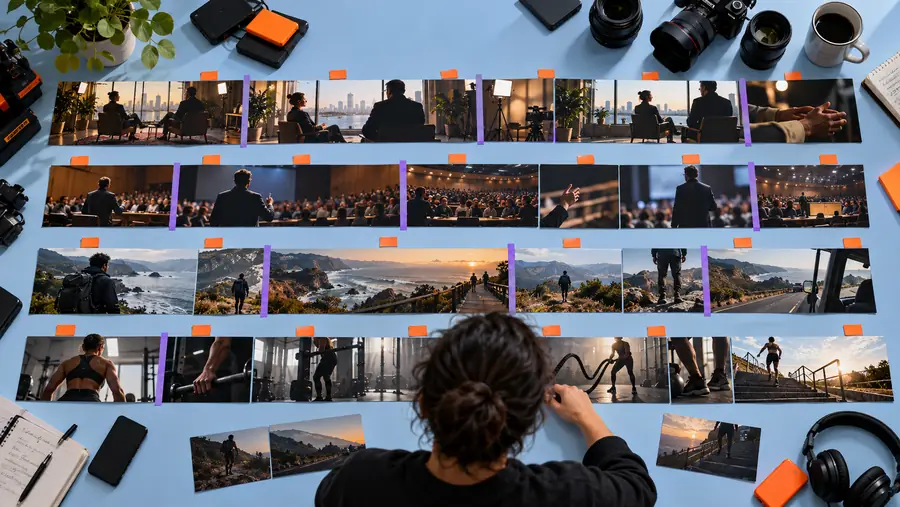

Compare context, framing, audio, and captions before exporting.
Practical examples
Different teams shorten long recordings for different reasons. Give each clip a distinct job instead of cutting the same way every time.
A 45-minute lesson contains several explanations that deserve their own short clips.
Create topic-led excerpts that point viewers toward the full lesson without removing the essential context.
flexclip ai text to videoA recorded demonstration includes one feature explanation, one objection response, and one customer benefit.
Turn those moments into separate clips with clearer openings and a focused message for each audience.
flexclip video makerA long interview or tutorial has several quotable moments but needs tighter pacing for discovery content.
Prepare short highlights while keeping the original recording as the source of truth.
flexclip for youtubeA webinar or livestream contains useful answers that are difficult to revisit in full.
Make concise answer clips that are easier to share, caption, and review before posting.
flexclip onlineNext step
Bring a specific source and a specific audience to the flexclip long to short workflow. Use the first result as a draft, then keep the strongest moments after a careful review.
Questions answered
It describes shortening a longer recording into focused clips built around individual ideas or moments. The useful goal is not simply reducing duration, but making each excerpt understandable on its own.
Yes, a long recording can be treated as a source for multiple clips when it contains distinct explanations, demonstrations, or highlights. Define a separate purpose for each clip so the results do not repeat the same introduction.
Check that the source is complete, the audio is understandable, and the intended moments are present. Also verify orientation, names, captions, and enough surrounding context for each proposed short.
It can work well for tutorials when each short covers one clearly bounded lesson or answer. Keep steps that depend on earlier context together, and direct viewers to the full tutorial when a clip cannot stand alone.